An elegant and minimalist menu bar music player for macOS (no Dock icon), providing a seamless music playback experience.
Requirements
macOS 13.0 (Ventura) or later
Installation
Homebrew (Recommended)
brew install samzong/tap/mac-music-player
DMG
Download the latest MacMusicPlayer-arm64.dmg from the Releases page.
Security Note: The DMG is ad-hoc signed (no paid Apple Developer account yet). On first launch macOS may warn that the app is from an unidentified developer — right-click the app and select "Open" once to proceed. The Homebrew cask installs the same prebuilt DMG and clears the app's quarantine attribute after installation.
Features
🎵 Lightweight menu bar player for instant music control
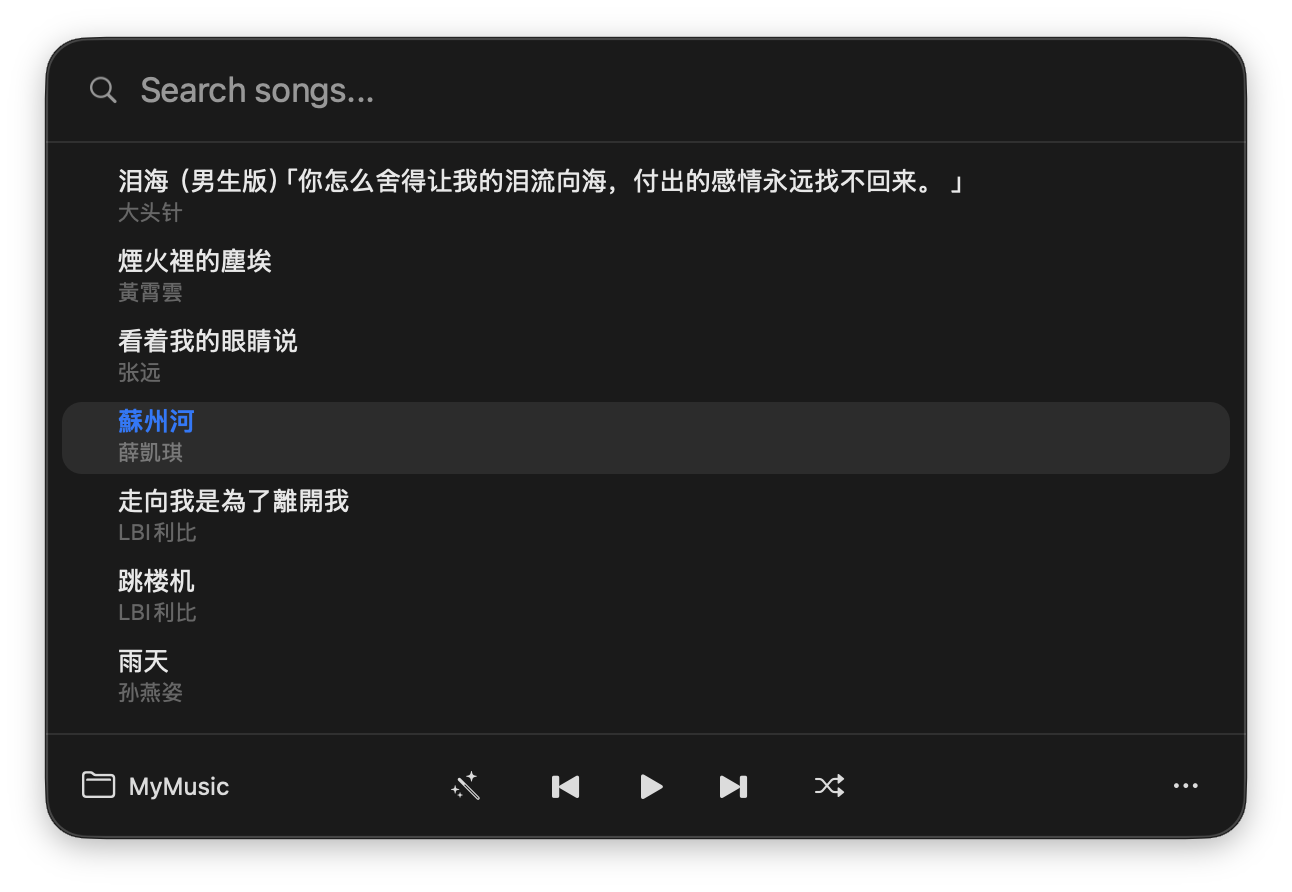
🔍 Spotlight-style song picker (⌘F) with instant title, artist, and filename filtering
🎨 Native macOS interface with perfect light/dark theme support
🌍 Multi-language support (English, Simplified Chinese, Traditional Chinese, Japanese, Korean)
🎧 Audio format support (mp3, m4a, wav, flac, aac, ogg, aiff)
🔄 Multiple playback modes (Sequential, Single Loop, Random)
📚 Multiple music libraries with quick switch (⌘R to refresh)
📥 Built-in YouTube/SoundCloud search & playlist downloads with thumbnails and format selection (requires yt-dlp + ffmpeg)
💾 Smart memory of last music library and last played track
🚀 Launch at login (enabled by default)
🌙 Prevent-sleep toggle (enabled by default)
⌨️ Media key control and keyboard shortcuts (⌘D Download, ⌘S Settings)
Configuration & Tips
Download dependencies (yt-dlp, ffmpeg) are installed automatically via Homebrew; manual install (brew install yt-dlp ffmpeg) is required for DMG users.
Configure API URL and API Key in Settings to enable YouTube search (requires a custom search proxy service).
Pick the destination library in the Download window and use Download Selected for the checked playlist songs. Closing the window keeps downloads running while the app stays open; Stop cancels the active download. Use Refresh Current Library to rescan music quickly.
For best metadata display, name your files as Artist - Title.mp3 format.
Screenshots
Song Picker
Download Music
Contributing
Contributions are welcome! Please feel free to submit Issues and Pull Requests.
swift test# run unit testsmake build # build the Release app into build/make dmg # build + package a self-signed arm64 DMG
License
This project is licensed under the MIT License - see the LICENSE file for details.